Keyswitch & Expression Map is a Max for Live device for Ableton Live that helps composers manage VST instrument articulations and expression parameters through keyswitches and MIDI CCs in a single, clear interface. It is designed for film and game scoring, orchestration, and complex sample-library setups.
I originally created KSEM for my own workflow because I could not find a comfortable, intuitive way to manage orchestral articulations in Ableton Live.
I love working with Ableton, but composing for orchestra often meant either spreading articulations across countless separate tracks and scrolling through them until I got dizzy, or relying on keyswitches and memorising MIDI notes and CC numbers that vary from library to library—and sometimes even between instruments within the same library.
Multi-Clip Editing in Live 10 was a fantastic addition and made orchestral composing more straightforward. Still, it did not quite offer the workflow I had in mind.
At the end of 2019, I found myself with a little free time between projects and spontaneously decided to build my own solution in Max for Live. Excited to finally have the workflow I had been waiting for—and encouraged by enthusiastic musician friends—I began developing the device further, aiming to make it useful to anyone looking for a more natural and intuitive way to perform or edit multiple articulations within a single track.
I tried to imagine what other Ableton users might need from such a device and released the first version in April 2020.
Since then, KSEM has grown into a small ecosystem, with freely available presets for popular sample libraries and more than 1,000 musicians and composers using it worldwide. That response has been both a huge compliment and a strong motivation to keep improving the device.
In 2026, I extensively redesigned KSEM and released version 5, introducing new workflow features and refinements informed by years of community feedback.
Originally published on my personal website, KSEM now has a dedicated home under Interfacette, the company I founded to give the project a more professional presence. Interfacette specialises in developing workflow tools for composers working in Ableton Live.
KSEM 5 in Ableton Live
The interface and articulation workflow I designed for working with virtual instruments and orchestral sample libraries.
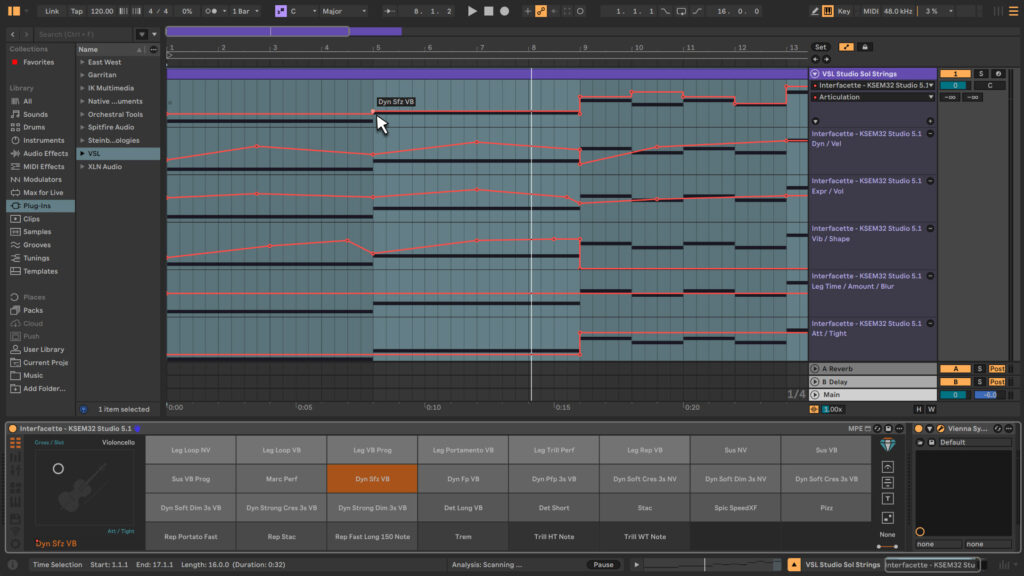

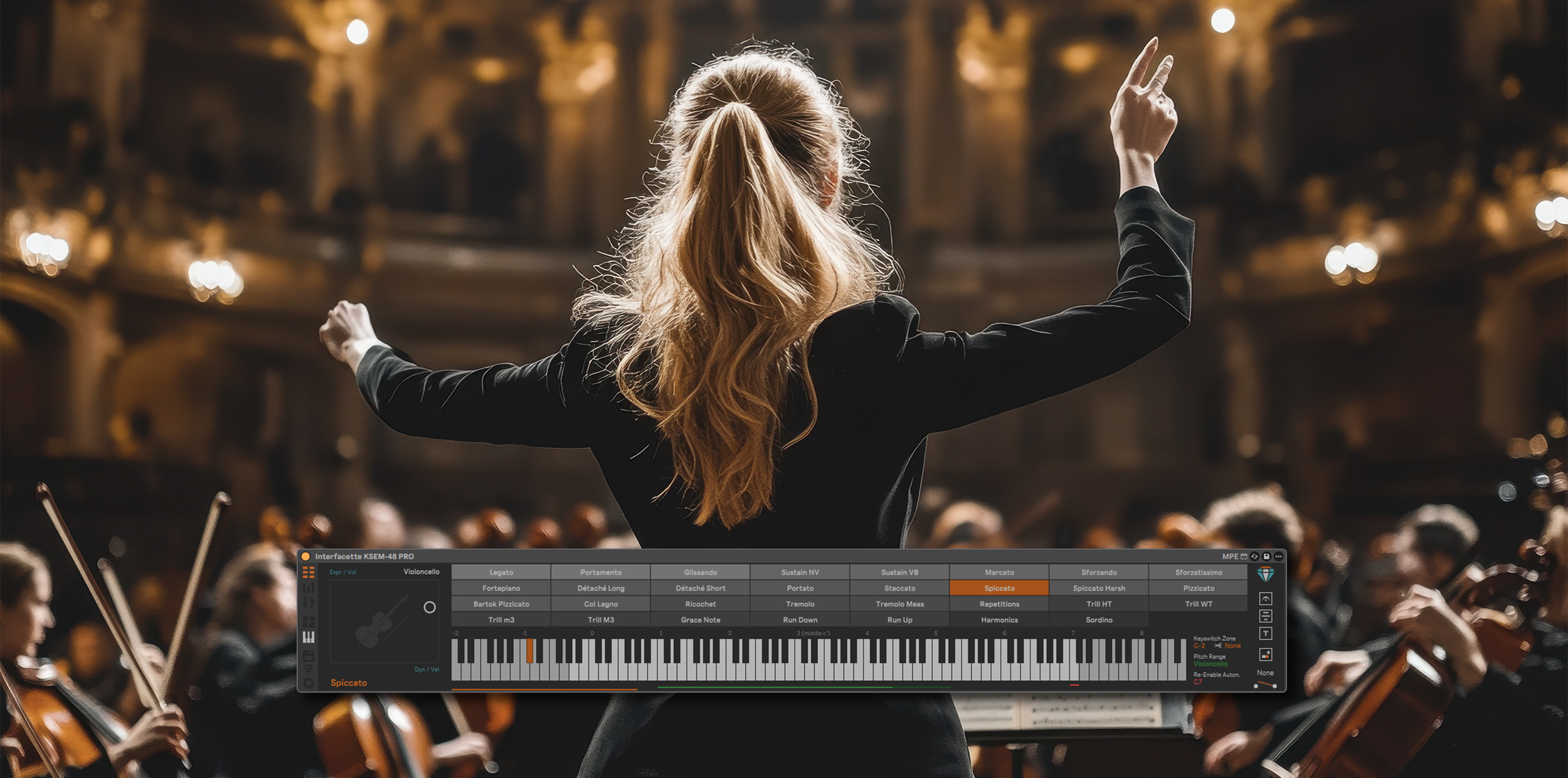
Pad Controller with On-Screen Keyboard

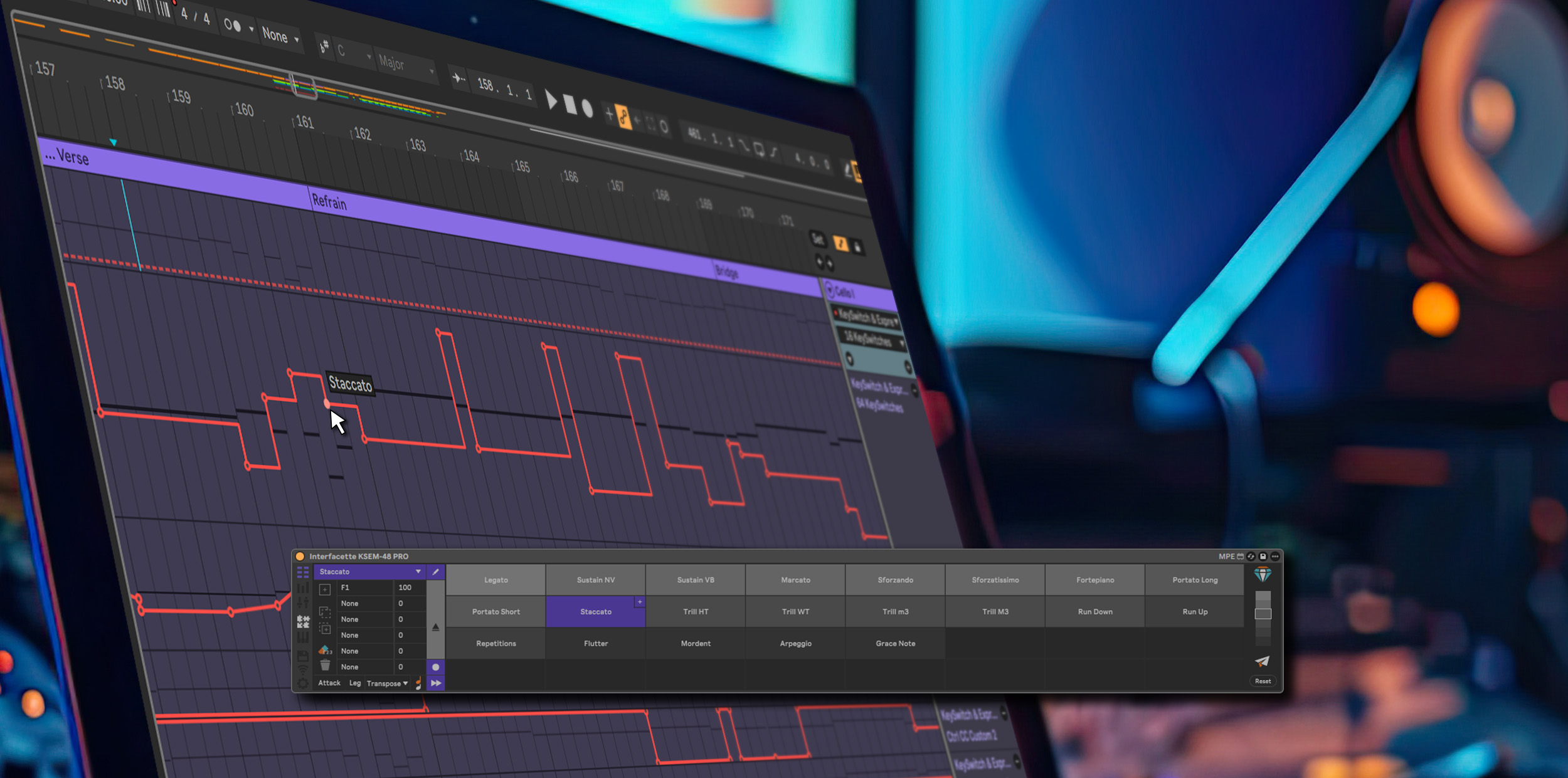
Articulation Editor

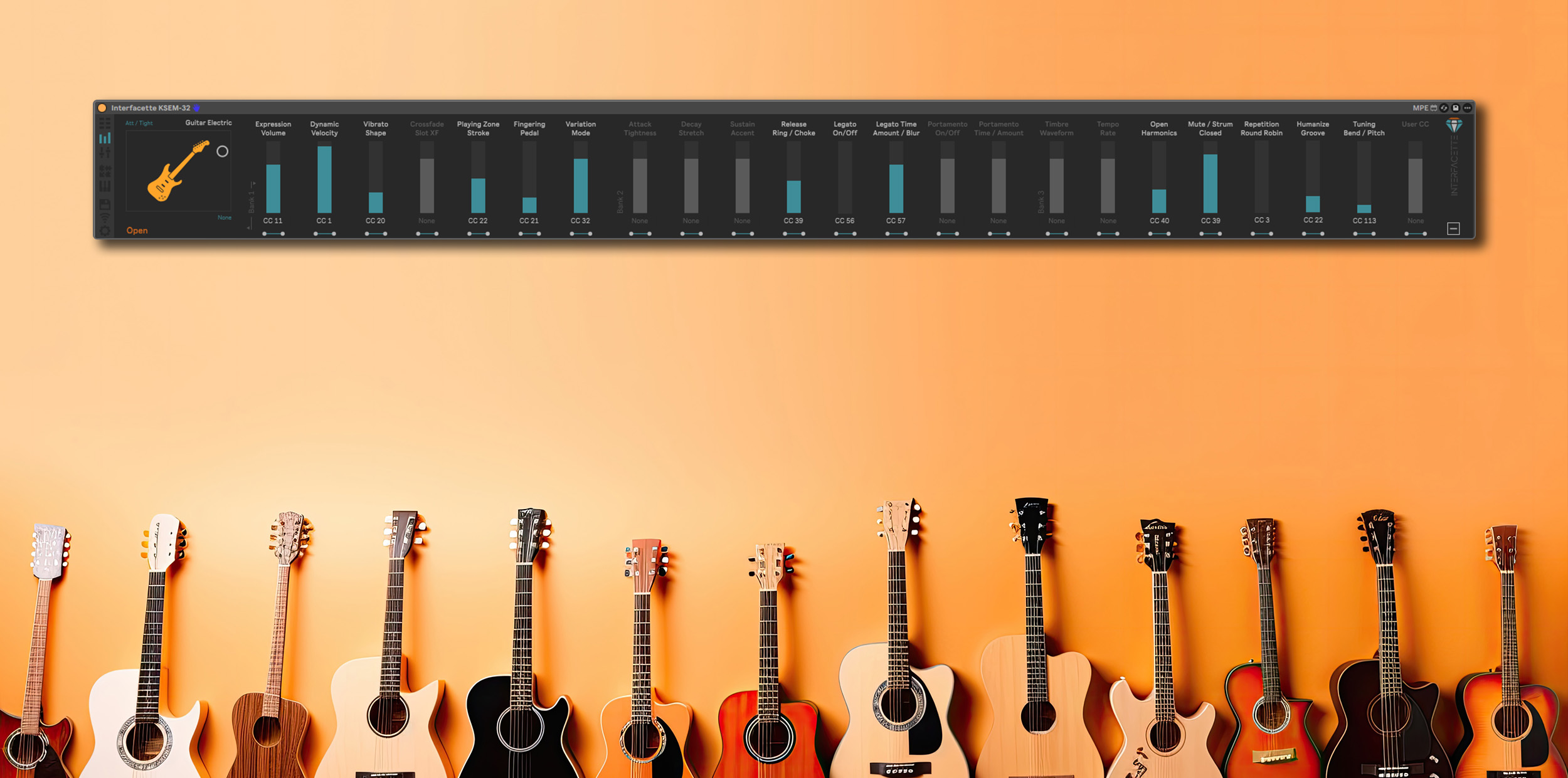
CC Control

CC Mixer
Workflow
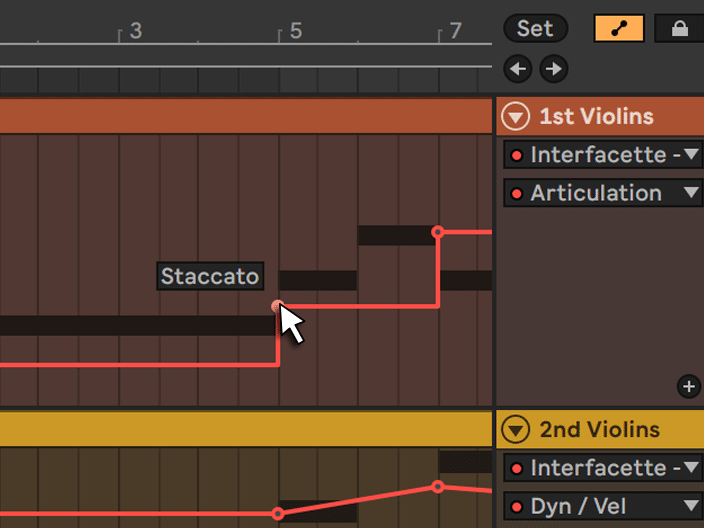
Just as you would automate everything else in Ableton Live. Simply draw your articulations with clearly named automation envelopes directly into the Arrangement View timeline or Session View clips.
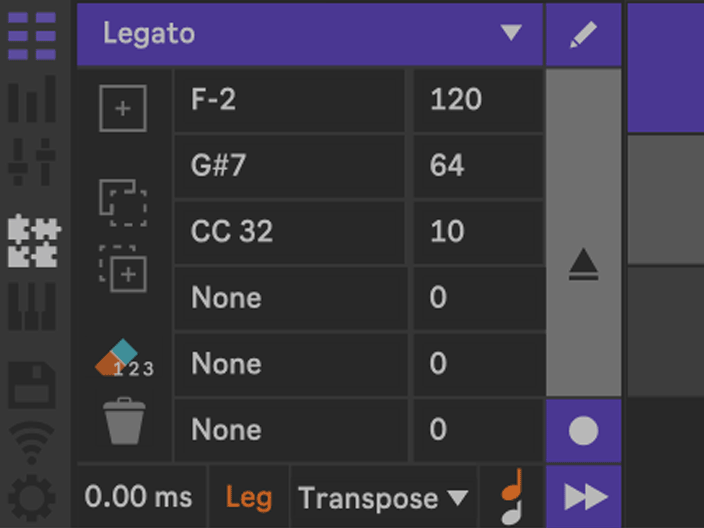
The Articulation Editor lets you define up to six parameters per articulation, including keyswitches, CCs, Program Changes or Chain Selector values for controlling Ableton Live Racks.
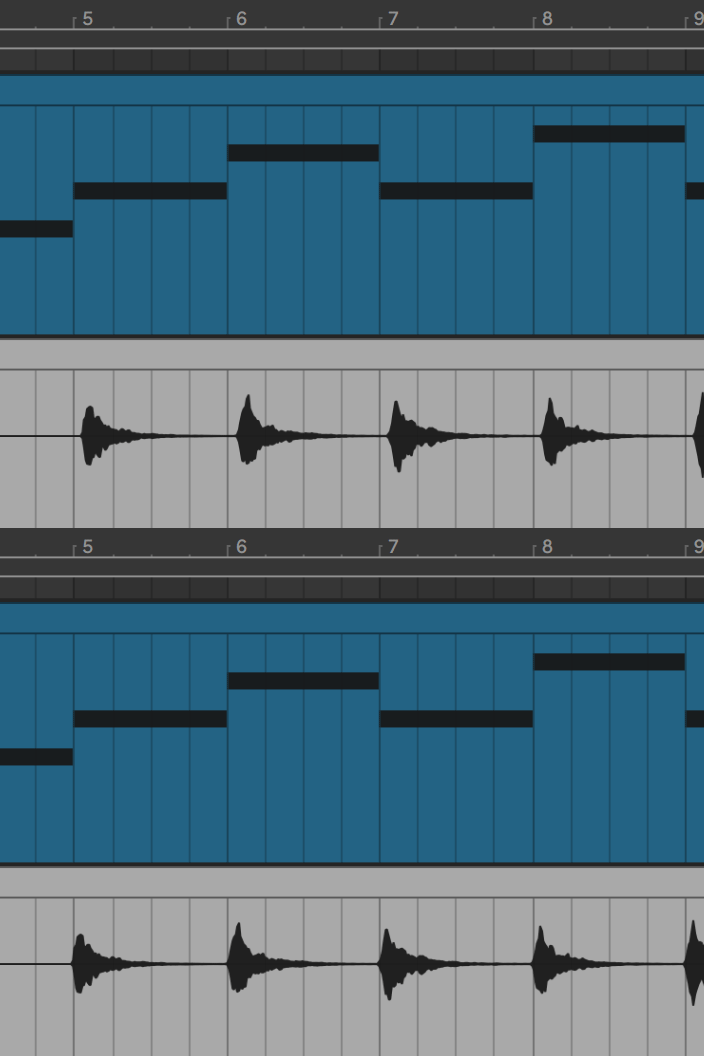
If short articulations such as staccato sound late in your library, setting an Attack Compensation value in the Articulation Editor lets you trigger them earlier for tighter timing.
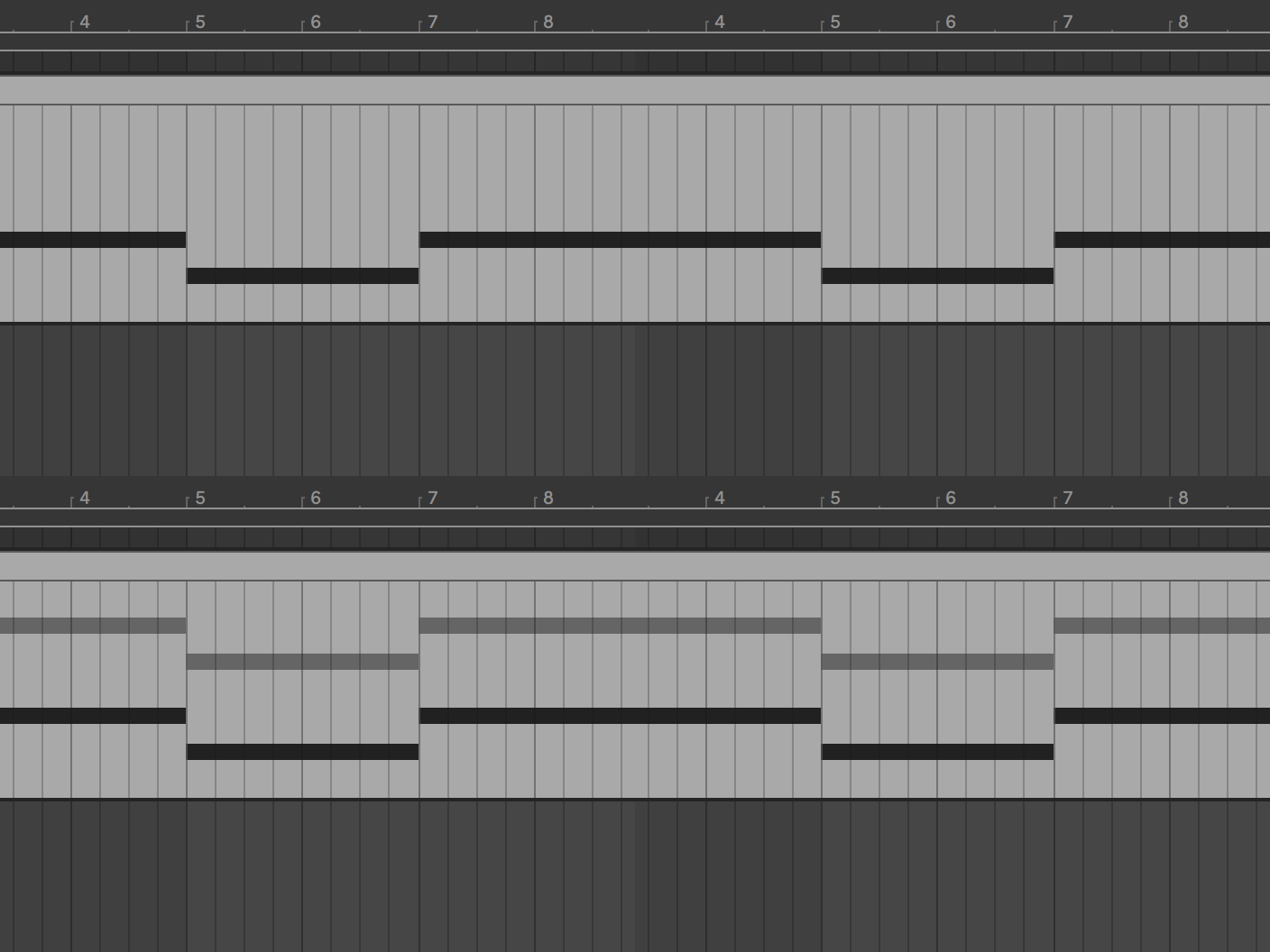
You also can create articulations with transposed or layered notes without editing your original composition. Choose from 12 interval values, from a minor 2nd up to octave doubling.
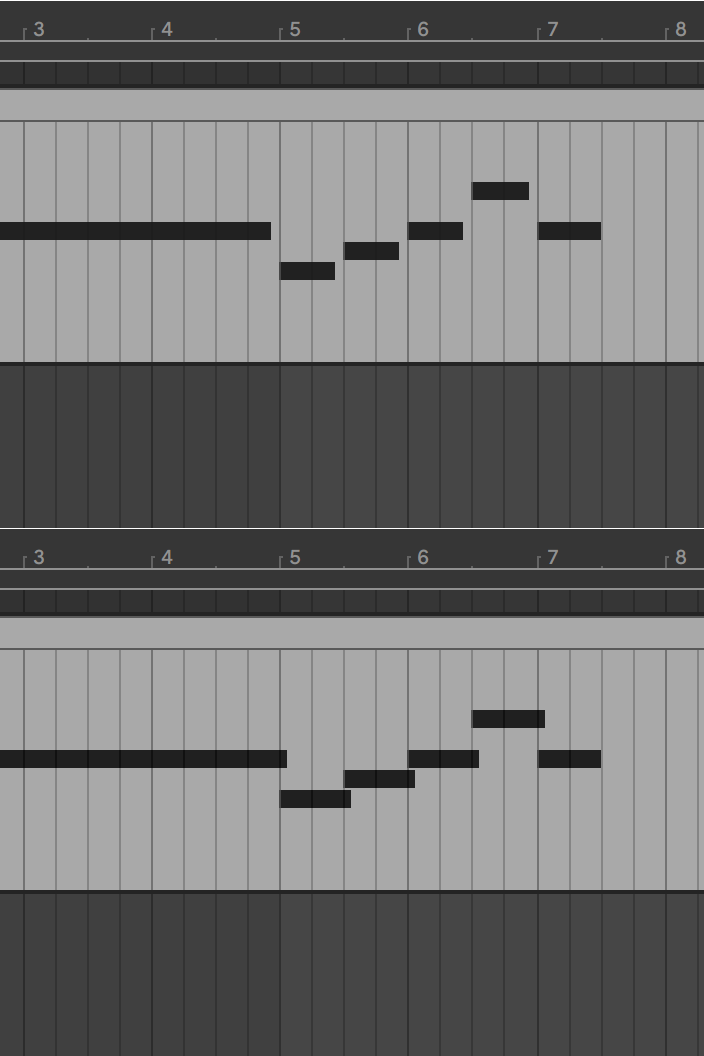
Last but not least, the Legato Overlap function ensures that successive MIDI notes overlap during playback, so legato passages play correctly in your virtual instrument. Gone are the days of manually checking every note.
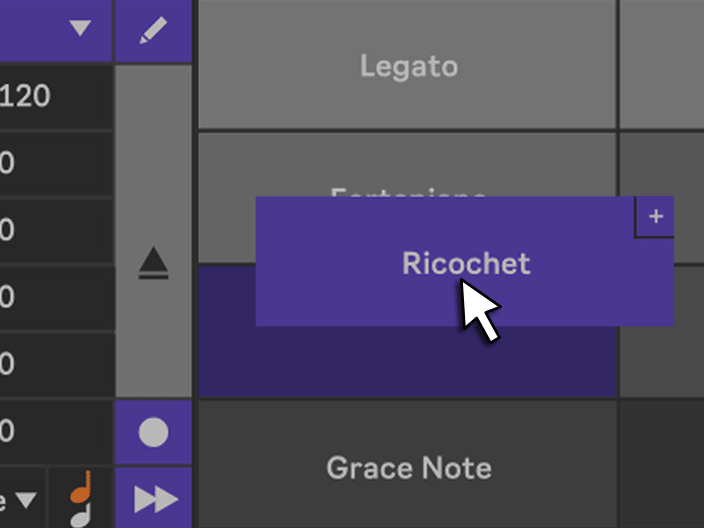
Load the articulations you’ve created in the Articulation Editor into the Articulation Pad’s slots to use them. Arrange them like puzzle pieces using drag and drop, and colour-code them to keep everything organised. When you no longer need an articulation, simply eject it from its slot—you can reload it at any time.
Additional features
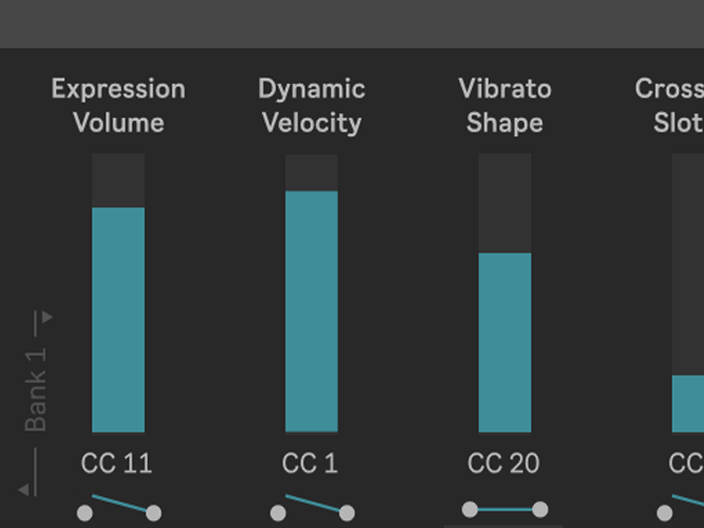
Control parameters of your VST instruments remotely with 23 sliders for Expression, Vibrato, Attack, and more. Clearly named labels make automation easy to find and edit in the Arrangement View. Three Live Banks support Instant Mapping for controllers such as Ableton Push.
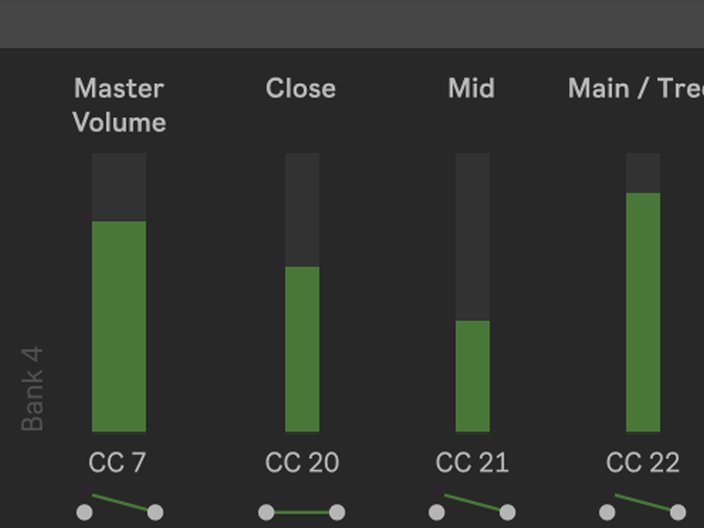
The mixer section with 16 additional sliders lets you adjust microphone levels, reverb, and effects of your VST instrument directly in Ableton Live — no need to open the VST interface anymore. Keep your entire orchestral workflow inside a single interface.
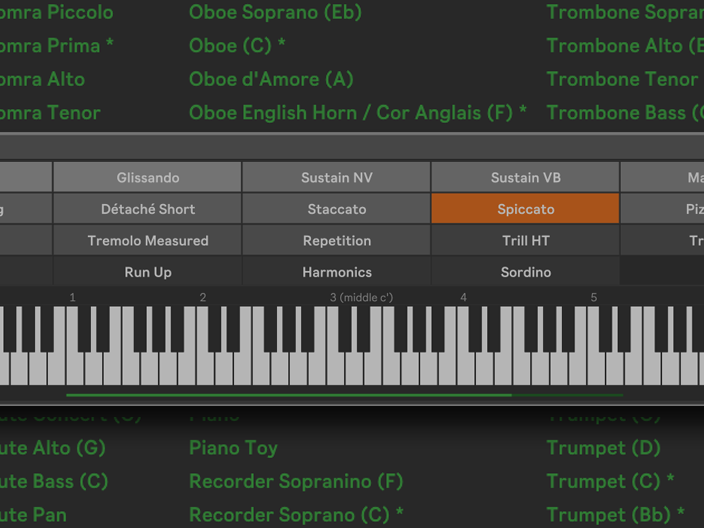
An included Pitch Range Dictionary displays the practical and extended pitch range of more than 120 instruments directly under the Onscreen Keyboard. Compose safely for orchestral sections or check whether even a guitar with only 19 frets can still play your song.
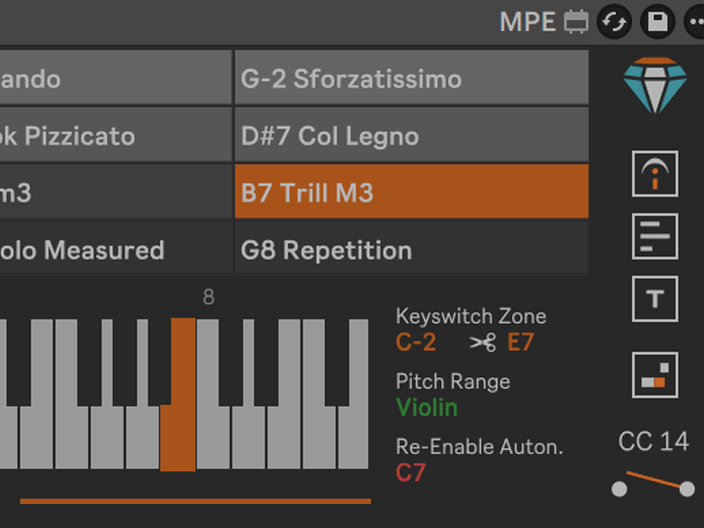
Create your own keyswitches by defining a keyswitch zone, displayed as an orange line under the Onscreen Keyboard. In the 32- and 48-slot versions, the zone can be split into two sections to avoid interfering with your instrument’s pitch range.
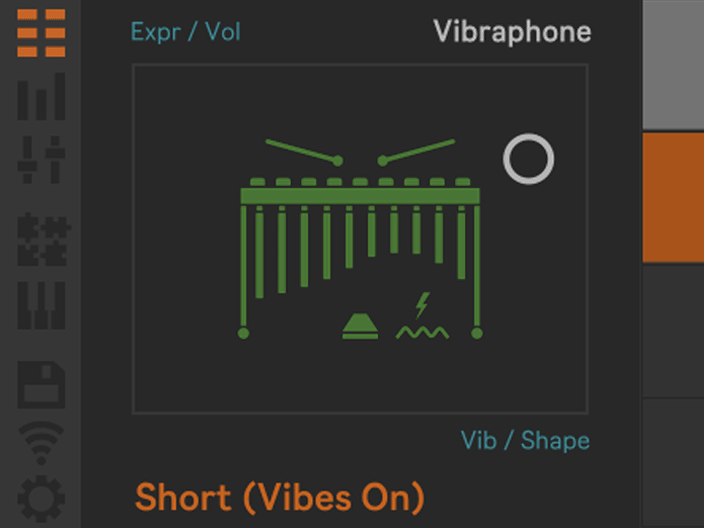
Display an instrument image in the XY Controller to improve visual orientation when working with large templates. If desired, it can even adopt the track color for a clearer overview.
Presets
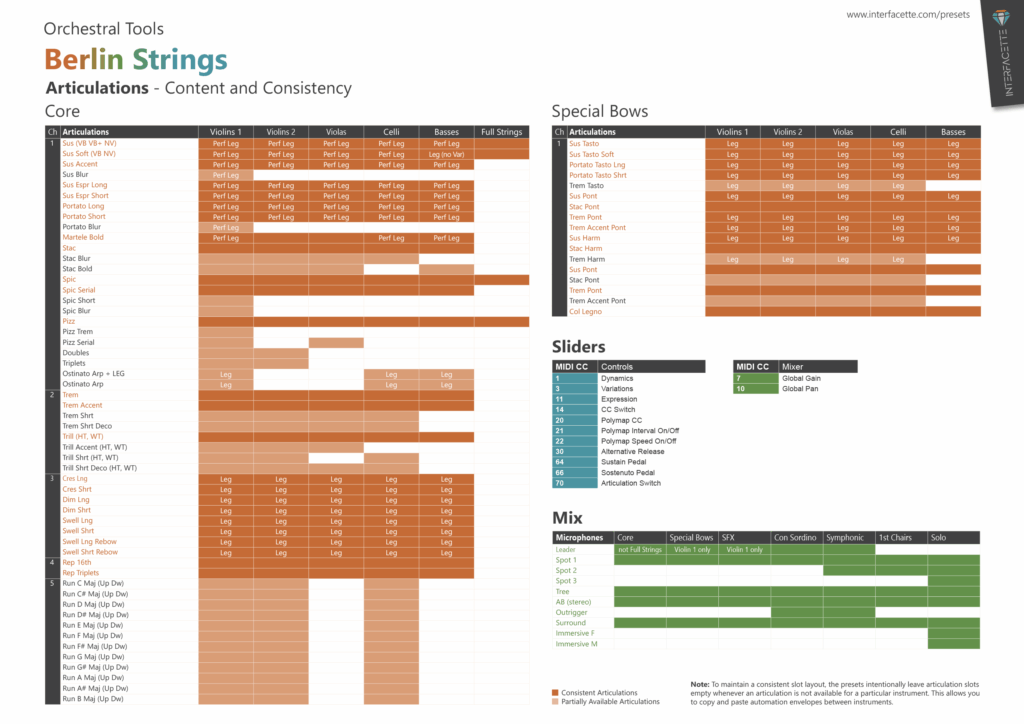
Over the years, KSEM has grown into a little ecosystem for orchestration within Ableton Live, with free presets for popular libraries from Spitfire Audio, Vienna Symphonic Library, Orchestral Tools, EastWest, and others. The idea is to save users from having to start from scratch and spend hours entering keyswitches and articulation names themselves. Instead, the presets are ready to use straight away. Furthermore, each preset comes with a PDF chart showing the library’s available articulations, how consistently they are supported across its instruments, and an overview of the MIDI CCs used to control parameters such as vibrato, dynamics, attack times, and more.
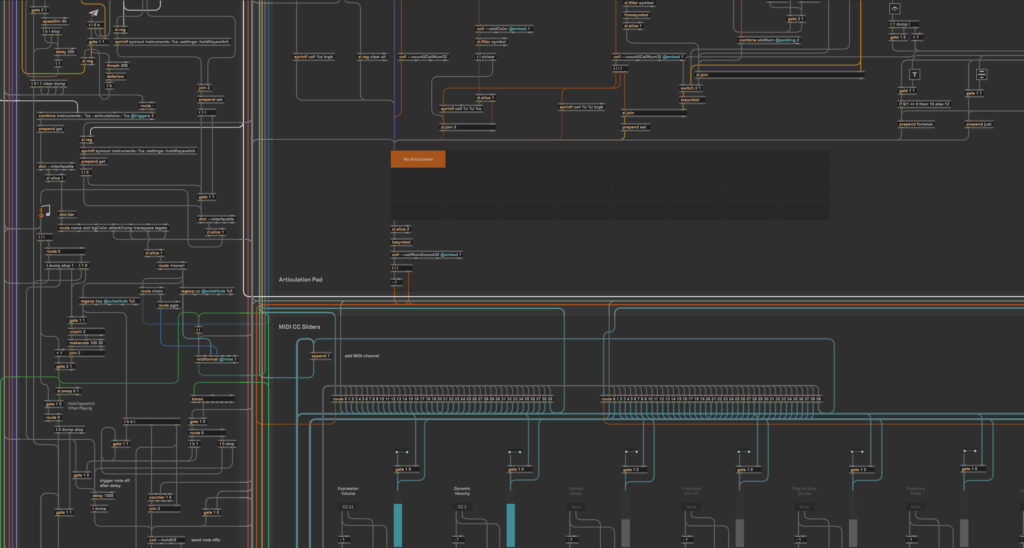
Behind the Interface – Max for Live Development
A look behind the interface: this is where the logic behind KSEM is built, including MIDI processing, routing, user interaction and preset management. The device is developed entirely in Max for Live.